
To complete tax return online, sign in to your HMRC online account, pick the tax year, answer the questions that shape your return, enter your income, expenses and reliefs, check HMRC’s tax calculation and press submit before midnight on 31 January. HMRC works out your bill as you type, confirms receipt straight away and gives you a submission reference you can keep as proof.
That is the short version. The full process has a few traps that catch people every year, such as missing the registration date, forgetting bank interest or being surprised by payments on account. This guide walks through each stage so you can file with confidence, whether this is your first return or your tenth.
The team at Tax Consultant prepares Self Assessment returns for sole traders, landlords, company directors and people with side income across Leeds, Manchester, London and Bristol. Everything below reflects what we see when clients file their own returns and what goes wrong when they do.
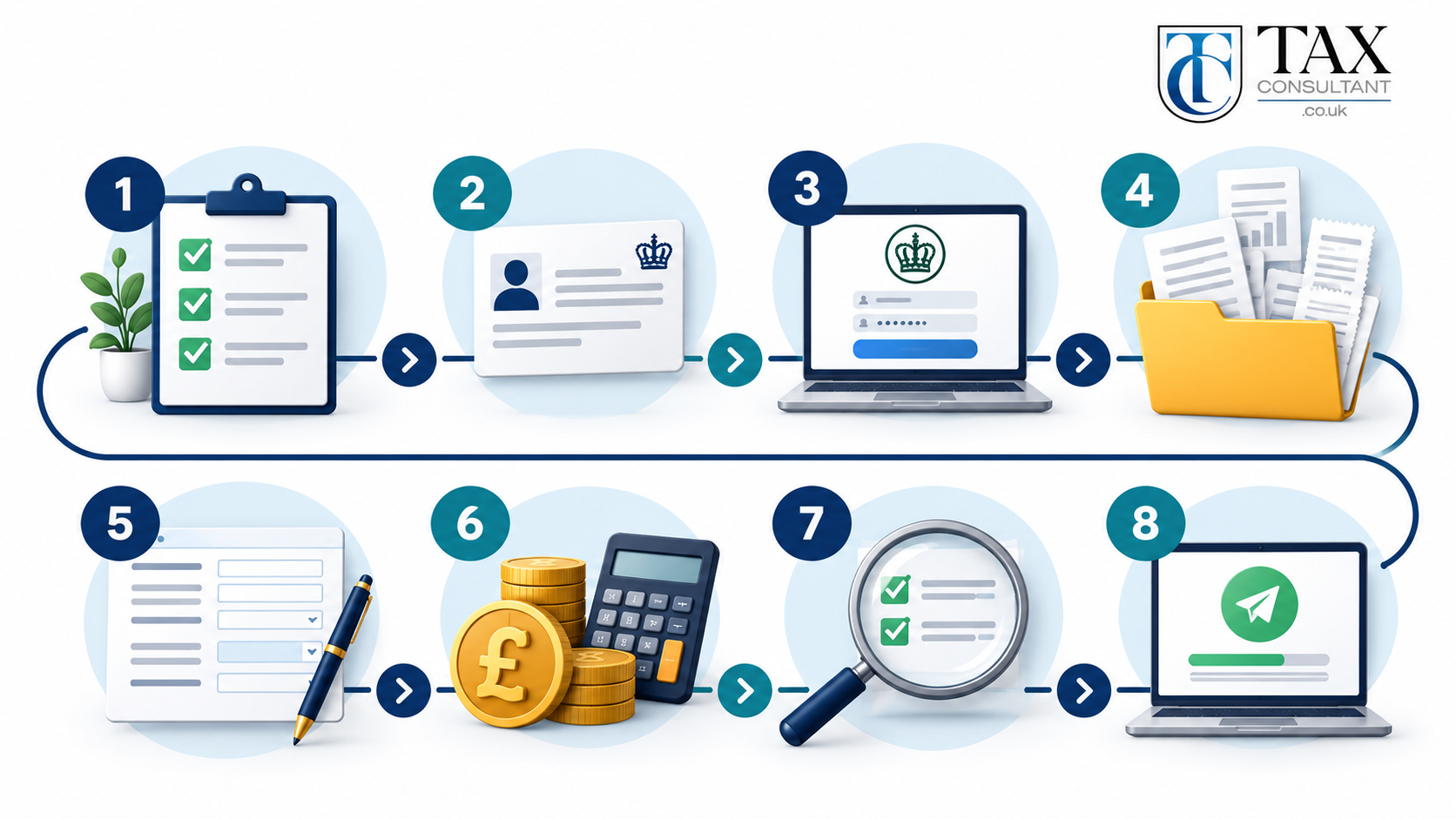
The 8 Steps to File Your Tax Return Online at a Glance
- Check whether you need to send a Self Assessment tax return.
- Register for Self Assessment and get your Unique Taxpayer Reference (UTR).
- Set up your HMRC online account.
- Gather your income, expense and relief records.
- Tailor your return by answering HMRC’s opening questions.
- Enter your income, expenses and tax reliefs.
- Review the tax calculation and correct anything that looks wrong.
- Submit the return and pay what you owe by 31 January.
Each step is explained in detail further down the page.
Who Needs to Submit a Self Assessment Tax Return?
You need to file a return for a tax year (6 April to 5 April) if any of the following applied to you.
- You were self-employed and earned more than £1,000 before expenses.
- You were a partner in a business partnership.
- You received rental income above the allowances, or HMRC asked you to report it.
- You had untaxed income over £2,500, such as tips, commission or freelance work alongside a job.
- You made a capital gain that is liable to Capital Gains Tax.
- You or your partner earned over £60,000 and someone in the household claimed Child Benefit.
- You had foreign income that is taxable in the UK.
- You received a notice to file from HMRC, even if you think you owe nothing.
Company directors are often caught by the last point, because HMRC frequently issues a notice to file to directors who take dividends. If you are unsure, the GOV.UK check if you need to send a tax return tool gives a quick answer in a few minutes.
Why Filing Online Beats a Paper Return
HMRC still accepts paper returns, but filing online gives you three extra months and fewer chances to slip up.
| Point to compare | Online return | Paper return |
|---|---|---|
| Filing deadline | 31 January after the tax year ends | 31 October after the tax year ends |
| Tax calculation | Shown instantly as you fill in the form | Calculated by HMRC after it receives the form |
| Proof of filing | Instant on-screen confirmation and reference | No confirmation unless you send it recorded |
| Error checks | Built-in prompts flag missing boxes | No checks until HMRC processes it |
| Refunds | Usually processed faster | Often slower |
| Save and return later | Yes, any time before you submit | Not applicable |
A small number of people still need a paper return or commercial software, for example some trustees, non-residents with complex affairs and people reporting certain gains on life insurance policies. If that sounds like you, speak to a tax advisor before you start.
Before You Start: Documents You Need
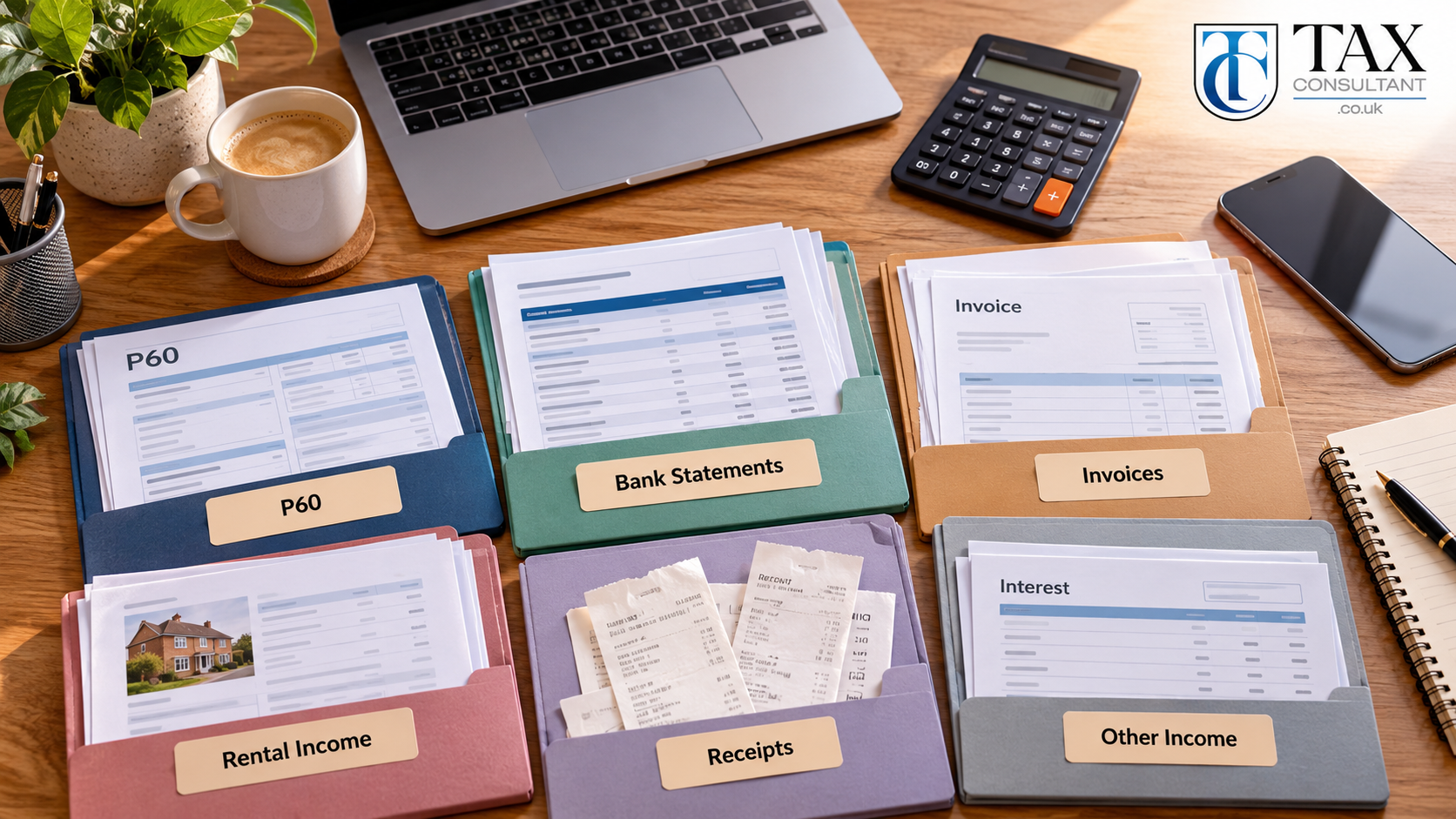
Gathering everything first is the single biggest time saver. Stopping halfway through to find a missing statement is where most people give up and leave it until late January.
Identity and login details
- Your 10-digit Unique Taxpayer Reference (UTR). You can find a lost UTR on GOV.UK.
- Your National Insurance number.
- Your Government Gateway user ID and password, or your GOV.UK One Login.
Income records
- P60 or P45 for any employment, plus P11D details for any taxable benefits such as a company car.
- Self-employed sales records, invoices and bank statements for the whole tax year.
- Rental income statements from letting agents or your own records.
- Bank and building society interest, and dividend vouchers from shares.
- Pension income statements, including State Pension amounts.
- Details of foreign income and any foreign tax already paid.
- Sale and purchase details for any assets you sold, such as shares, crypto or a second property.
Expenses and reliefs
- Business expense receipts, mileage logs and use-of-home calculations.
- Mortgage interest and letting costs for rental property.
- Personal pension contributions and Gift Aid donations.
- Student loan details, if you are repaying through Self Assessment.
If your records are scattered across apps, email and shoeboxes, our bookkeeping services can pull them into one clean set of figures before the return is due.
Step-by-Step: How to Complete Your Tax Return Online
Step 1. Register for Self Assessment
If you have never filed before, you must register for Self Assessment on GOV.UK by 5 October after the end of the tax year you need to report. Self-employed people register as a sole trader, which also sets up Class 2 and Class 4 National Insurance records.
HMRC then posts your UTR, usually within 15 days, or 21 days if you live abroad. Registering late does not stop you filing, but it can lead to a failure to notify penalty if tax is owed, so register as soon as you know you need to.
Step 2. Sign In to Your HMRC Online Account
Go to the GOV.UK page to sign in and file your Self Assessment return. New users verify their identity with photo ID such as a passport or driving licence, and some still receive an activation code by post. Do this well before January, because an activation letter can take around 10 days to arrive.
Once inside, select Self Assessment and choose the tax year you are filing for. Double-check the year, because filing figures against the wrong year is one of the most common mistakes HMRC corrects.
Step 3. Fill In the About You Section
HMRC asks for basic details such as your name, address, date of birth and residence status. Most of this is pre-filled from your records. Update anything that has changed, especially your address, so that letters and refunds reach you.
Step 4. Tailor Your Return
This is the most important screen in the whole process. HMRC asks a series of yes or no questions about your income sources, such as employment, self-employment, property, partnerships, capital gains and foreign income.
Your answers decide which sections appear later. Answer no to property income by mistake and the property pages never show up, so your rent goes unreported. Take your time here and tick every income type that applies.
Step 5. Enter Your Income
The online return follows the same structure as the paper forms, even though you will not see the form numbers on screen. The table below shows which section covers which income.
| Section | Paper form | What goes in it |
|---|---|---|
| Main return | SA100 | Bank interest, dividends, pensions, taxable benefits, Gift Aid, pension contributions, student loan, Child Benefit charge |
| Employment | SA102 | Salary, tax paid through PAYE and taxable benefits for each job or directorship |
| Self-employment | SA103 | Turnover, allowable expenses and capital allowances for your business |
| Partnership | SA104 | Your share of partnership profit or loss |
| UK property | SA105 | Rent received and allowable letting costs |
| Foreign income | SA106 | Overseas earnings, rent, interest and foreign tax paid |
| Capital gains | SA108 | Disposal proceeds and costs for shares, property and other assets |
For self-employment, enter your total turnover for the year before taking anything off. Expenses go in a separate box. Landlords should read our guide on how to reduce tax on rental income before filling in the property section, because the rules on mortgage interest differ from other costs.
If you have income from abroad, our overseas income and gains team can check whether double tax relief cuts what you owe in the UK.
Step 6. Claim Your Expenses and Tax Reliefs
This is where you lower your bill legally. Self-employed people can either claim actual business expenses or use the £1,000 trading allowance, but not both for the same income. Claim whichever gives the bigger deduction.
If your turnover is under £90,000, you can enter expenses as a single total. Above that figure, HMRC wants each category listed separately, such as office costs, travel, staff costs and professional fees. The GOV.UK guide to expenses if you are self-employed lists what counts.
Other reliefs people often miss include higher rate relief on personal pension contributions, Gift Aid donations, Marriage Allowance and losses carried forward from earlier years. Construction workers should also enter tax already deducted under the Construction Industry Scheme, as this comes straight off the final bill.
You do not send receipts with your return, but you must keep records for at least five years after the 31 January deadline in case HMRC asks to see them.
Step 7. Review Your Tax Calculation
Before you submit, HMRC shows a full calculation of Income Tax, National Insurance and any Child Benefit charge or student loan repayment. Read it line by line.
Compare the total with last year. A big jump or drop usually points to a typing error, a missing expense or income entered in the wrong box. You can save the return and come back to it as many times as you like before you submit, so there is no need to rush this part.
Step 8. Submit and Save Your Confirmation
Press submit, then save or print the confirmation page showing your submission reference. HMRC also sends a confirmation to your online account. Keep a PDF copy of the full return with your records.
Your bill appears in your online account within a few days, and you can pay it straight away.
How to Pay Your Self Assessment Tax Bill
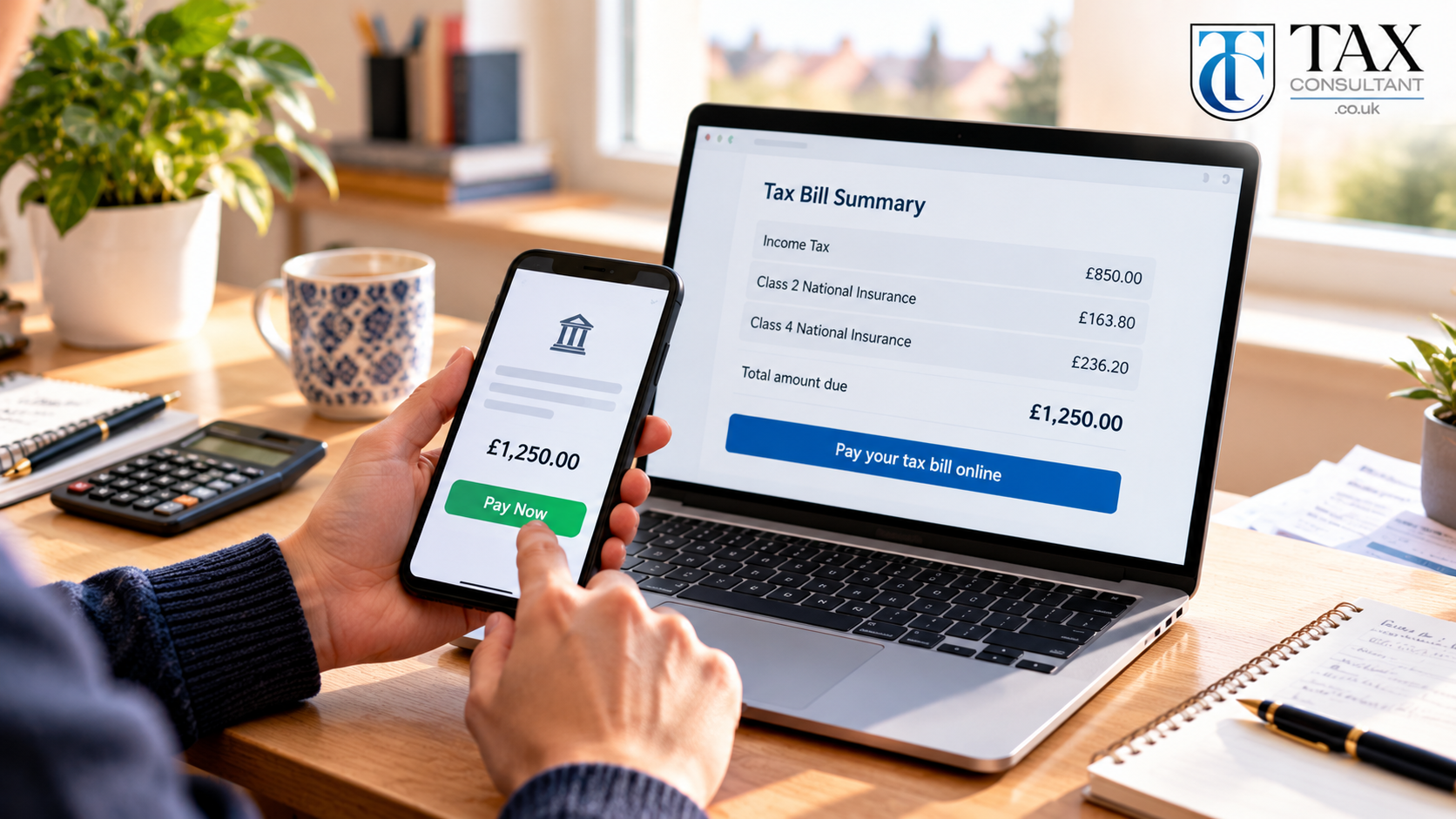
The balance is due by midnight on 31 January. You can pay your Self Assessment tax bill on GOV.UK using online or telephone banking, a debit or corporate card, Direct Debit, the HMRC app or a payment at your bank. Same-day methods such as Faster Payments are safest close to the deadline.
Payments on account
If your bill is over £1,000 and less than 80% of your tax was collected at source, HMRC also asks for payments on account towards next year. Each payment is half of this year’s bill, due on 31 January and 31 July. This is why first-time filers often face a January bill close to 150% of what they expected.
If your income is dropping, you can ask HMRC to reduce your payments on account from inside your online account.
Spreading the cost
A budget payment plan lets you pay weekly or monthly towards your next bill, as long as you are up to date. If you cannot pay in full, you may be able to set up a Time to Pay arrangement online for debts up to £30,000. The GOV.UK page on difficulties paying HMRC explains the options.
Key Self Assessment Deadlines
| Deadline | What is due |
|---|---|
| 5 October | Register for Self Assessment if you are new to it |
| 31 October | Paper returns must reach HMRC |
| 30 December | File online by this date if you want tax under £3,000 collected through your PAYE tax code |
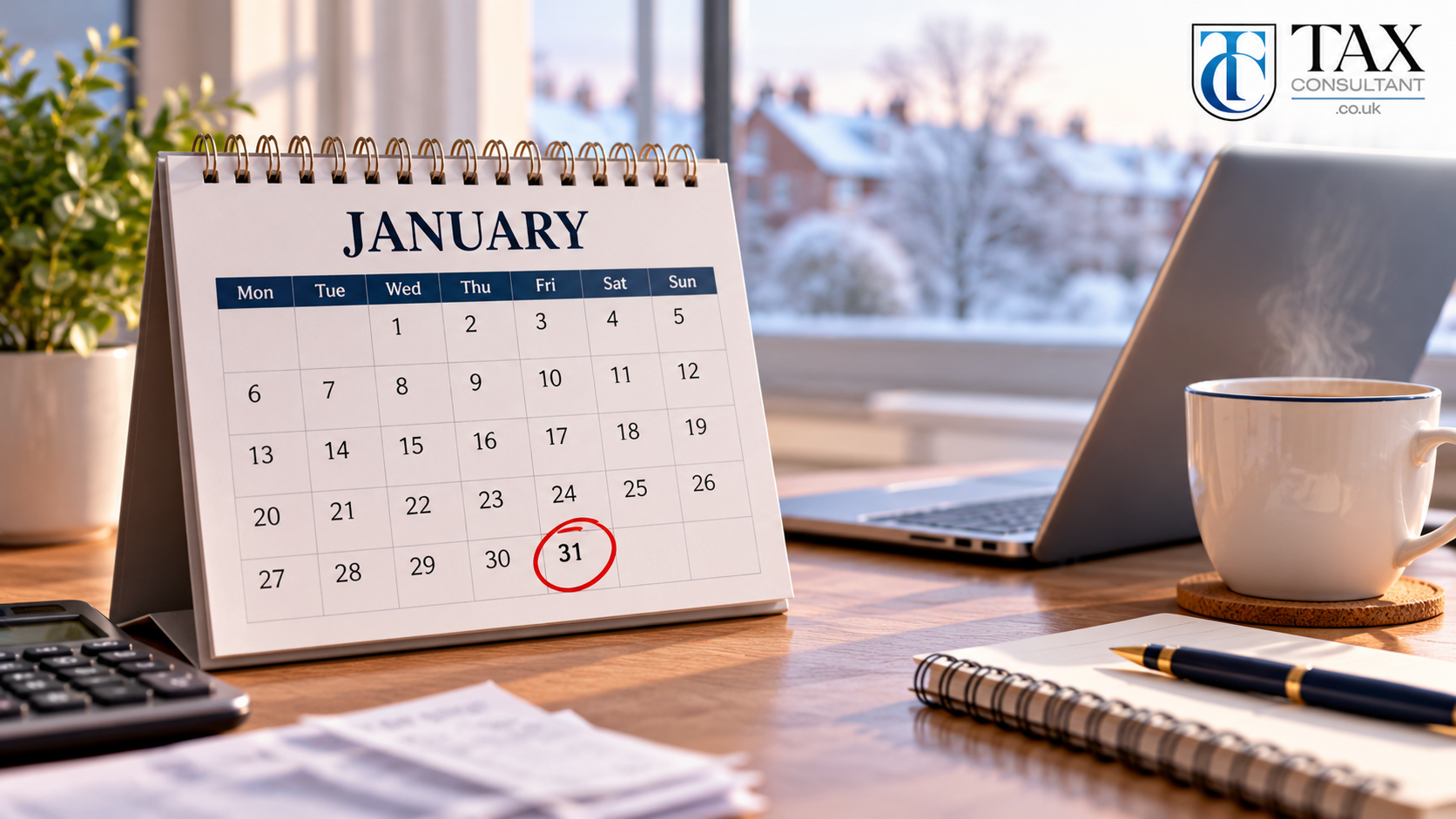
| 31 January | Online returns, balancing payment and first payment on account |
| 31 July | Second payment on account |
You can file from 6 April, as soon as the tax year ends. Filing early does not mean paying early, but it gives you months to plan for the bill. Our Self Assessment Leeds checklist breaks these dates into a simple month-by-month plan.
Penalties for Late Filing and Late Payment
HMRC charges penalties even when no tax is owed, so filing late with a zero bill still costs money.
| How late | Penalty |
|---|---|
| 1 day late | £100 fixed penalty |
| 3 months late | £10 a day for up to 90 days (maximum £900) |
| 6 months late | Further 5% of the tax due or £300, whichever is higher |
| 12 months late | Another 5% of the tax due or £300, whichever is higher |
| Late payment | 5% of unpaid tax at 30 days, 6 months and 12 months, plus daily interest |
You can appeal if you had a reasonable excuse, such as serious illness or an HMRC system failure. The GOV.UK Self Assessment penalties page has the full rules. People in Making Tax Digital for Income Tax move onto a newer points-based penalty system, so check which rules apply to you.
Making Tax Digital and Your Online Return
Making Tax Digital for Income Tax changes how many sole traders and landlords file. From 6 April 2026, people with qualifying self-employment and property income over £50,000 must keep digital records, send quarterly updates through HMRC-recognised software and file a final declaration after the year ends. The threshold drops to £30,000 from April 2027 and £20,000 from April 2028.
If you fall into scope, you will no longer file your annual return through the standard HMRC online account. Your software does it instead. Employees, pensioners and people below the threshold keep using the online return described in this guide.
Our tax planning team can confirm when Making Tax Digital applies to you and set up software that suits your business.
Common Mistakes When You File Your Tax Return Online
- Leaving out small income. Bank interest, dividends and a few freelance jobs all count, and HMRC already receives data from banks and platforms.
- Entering profit as turnover. Turnover is total sales. Expenses go in their own box, or you pay tax on the wrong figure.
- Claiming personal costs. Only the business share of mixed costs such as phone, car and home office is allowable.
- Ignoring payments on account. Budget for the extra 50% in your first year of self-employment.
- Wrong tax year. Always check the year at the top of the screen before you start.
- Waiting for the last week. Login problems and missing paperwork are hardest to fix in late January, when HMRC phone lines are at their busiest.
What If You Make a Mistake?
You can amend an online return up to 12 months after the 31 January filing deadline. Sign in, choose the return, make the change and resubmit. HMRC recalculates the bill and either asks for more tax or issues a refund. The GOV.UK guide to corrections covers older years.
If you have underpaid tax over several years, a voluntary disclosure usually leads to lower penalties than waiting for HMRC to find it. If HMRC has already opened an enquiry into your return, our HMRC investigations specialists can deal with HMRC on your behalf.
Claiming a Tax Refund Through Your Online Return
If you overpaid tax, for example through PAYE on a job you left or through CIS deductions, the calculation shows a repayment. Make sure your bank details are correct in the return, because HMRC pays refunds directly to your account. Online returns are usually repaid faster than paper ones.
When It Makes Sense to Use a Tax Advisor

Filing yourself works well when your affairs are simple. A tax advisor earns their fee when you have more than one income type, rental property, foreign income, capital gains, a high income Child Benefit charge or a first year of self-employment with large set-up costs.
At Tax Consultant, we complete and submit your return for you, check every allowable expense, explain your bill in plain English and remind you of payments on account. Self Assessment tax returns start from £249. You can read more in our Self Assessment tax return guide, or see how our taxation services in Leeds and our tax advisor in Manchester support individuals and businesses.
Ready to hand it over? Call 0330 133 7827, email hello@taxconsultant.co.uk or contact our tax team and we will take it from there.
Frequently Asked Questions
Can I complete my tax return online for free?
Yes. Filing through your HMRC online account costs nothing. You only pay for commercial software if you choose to use it, or for an accountant if you want someone to prepare the return for you.
How long does it take to file a tax return online?
A simple return with one or two income types usually takes one to two hours once your records are ready. Returns with self-employment, property or capital gains can take much longer, mostly because of the time spent sorting figures.
When can I submit my tax return online?
You can submit from 6 April, the day after the tax year ends, up to midnight on 31 January the following year.
Do I need a UTR to file online?
Yes. You need your 10-digit Unique Taxpayer Reference, which HMRC sends when you register for Self Assessment. Your online account will not let you start a return without it.
Can I save my online tax return and finish it later?
Yes. HMRC saves your progress, so you can sign out and return as many times as you need before you press submit.
How do I know HMRC has received my return?
You see a confirmation screen with a submission reference straight after you submit, and a confirmation appears in your online account. Save a copy for your records.
What happens if I cannot pay my tax bill by 31 January?
File on time anyway to avoid the £100 late filing penalty, then contact HMRC about a Time to Pay arrangement. Interest and late payment penalties still apply to any unpaid tax.
Can a tax advisor file my return online for me?
Yes. Once you authorise them as your agent, a tax advisor can prepare and submit your return directly to HMRC and deal with any letters HMRC sends about it.